
How to Redeem FIRE PLANES Codes
Where a codes box would live, and what to do while the list is empty.
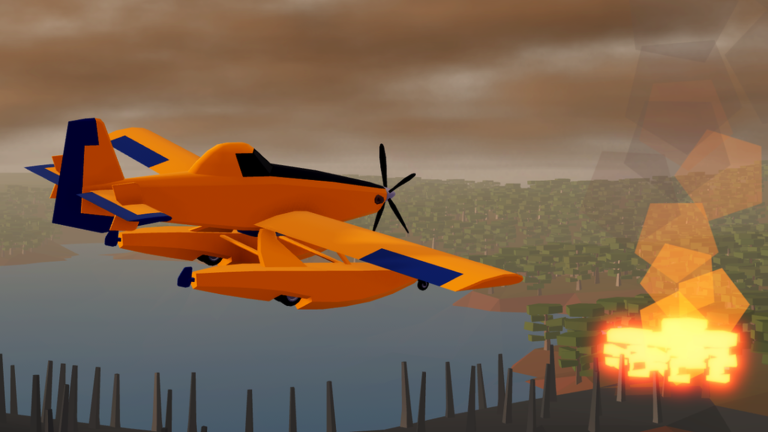
Redeeming a Roblox code is usually three taps: open a menu, paste a string, claim. FIRE PLANES does not currently show that menu in public HUD footage. This page still exists because the search query is real, and because a patch can add a box overnight. We describe what the HUD actually contains today, then the steps we will use the moment a redeem field ships.
If you only wanted working strings, go back to the codes hub. The active list is empty as of September 2026.
What the HUD actually has
Community notes from Superlex’s June 2026 session still match the live layout:
- Plane icon — cash shop for airframes.
- Cart icon — Robux shop (Double Money at 199 Robux, cash packs).
- Gear icon — settings, including invert pitch.
- Question mark — how to play.
None of those four is a codes box. Do not type a promo string into the plane shop search, the Robux purchase modal, or Roblox chat and expect a reward. Chat is not a redeem channel.
Steps we will use when a box appears
- Join FIRE PLANES on Roblox (free experience, six-player servers).
- Look for a new button labeled Codes, Twitter, or Gift. Check both the HUD and the pause-style menus.
- Open it and paste the string exactly. Codes are usually case sensitive.
- Confirm the reward in cash, a boost, or an item. If the UI says invalid, stop — do not spam.
- Cross-check the reward against the codes hub table. If it matches, you are done. If it does not, the string was for another game.
Until step 2 finds a real button, there is nothing to redeem. Spend the session on Getting Started instead.
If a code fails
- Trailing space. Paste into Notepad first.
- Letter O vs digit 0. Copy from a text source, not a compressed screenshot.
- Expired. Move it to your mental expired list.
- Wrong game. “Plane” titles on Roblox recycle the same thumbnail language. FIRE PLANES is place 124375862078487 by a_mb0385.
- No box. You cannot fail a redeem that does not exist. Close the cart; you were about to buy Robux by accident.
What codes would likely grant
We will not guess exact amounts. Typical Roblox firefighting or sim drops are cash, a timed multiplier, or a cosmetic. They would not replace the Double Money pass and they would not skip the scoop loop. Even with a future code, you still need How to Scoop Water to play the game.
If a code ever grants a plane, we will say so on the hub and on the plane tier list. Do not assume a Twitter code unlocks the $500k amphibian.
Safety
Never enter a “code” that is actually a link, a Discord login, or a loadstring. Those are scripts, and they belong on script safety, not here. A real promo code is a short word or phrase you type into an in-game field.
Official sources we will trust, in order: the Roblox experience description, the creator’s profile, a linked group shout, then this wiki’s table. Random comment codes under a live stream are last. The links hub is the short list of URLs we consider official.
While you wait
A blank codes page is not a dead end. Use the time to:
- Set invert pitch on Controls.
- Run Realistic for cash on Earn Money Fast.
- Check Updates after each patch in case a redeem UI is mentioned.
When the first real FIRE PLANES code lands, this page will gain screenshots of the actual button. Until then, the honest instruction is: there is nowhere to type one.
Frequently Asked Questions
Quick answers for FIRE PLANES pilots.
Where is the FIRE PLANES code box?
It is not in the current HUD. You will see plane shop, Robux cart, gear, and help. This page will add the button location if a patch ships one.
Can I redeem codes in Roblox chat?
No. Chat is not a redeem channel. A real code uses an in-game field.
Are codes case sensitive?
Usually yes, once they exist. Paste exactly. Do not add spaces.